




Spinmaya Login
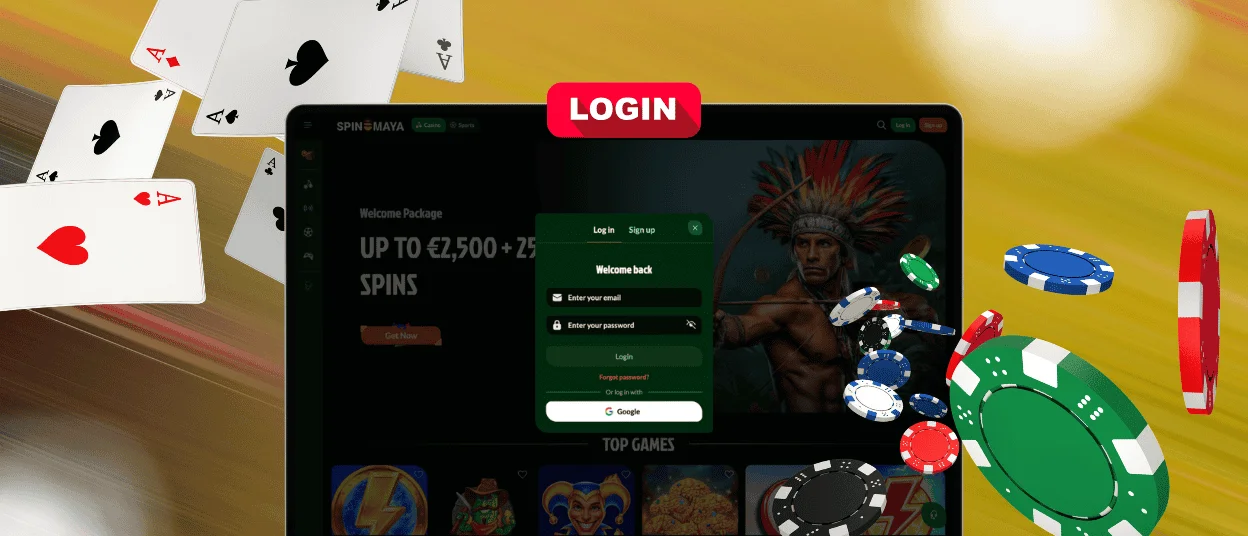
Access to every part of our platform starts with the Spinmaya Login form. One set of credentials carries a member from the lobby straight into the account area, with no separate sign-in step for the cashier or the dashboard. The same login works identically on a browser and inside the mobile app, so a member never manages two different sets of details. A verified profile keeps that access secure and consistent, whether a session starts from a saved bookmark or a brand-new device.



Spinmaya Casino Registration
A registered profile is what separates browsing from actual play. Guests can scroll through the lobby and read the promotion pages, but every real-money feature stays locked until an account exists. Registration at Spinmaya takes a couple of minutes and immediately changes what the platform can do for a member.
A new account unlocks:
- The welcome package after the first qualifying deposit
- Real-money play across the full game library
- The cashier with its deposit and payout tools
- Missions and tournaments inside the Activities program
- A personal dashboard for balance tracking and bonus management
Each of these areas connects to the same profile, so nothing needs a separate sign-up later. A profile created today stays active regardless of how often a member returns to play. The same registration also carries into the sportsbook section, since casino and sports betting run from one account rather than two separate systems.
How to Create Your Account
The registration window opens from the Sign Up button in the top corner of the site. The form itself stays short, and most new members finish it in under two minutes.
Enter an email address and create a password in the first two fields. A promo code field sits below them — it stays optional, since the standard welcome offer activates without any code. Two checkboxes complete the form: one confirms age of 18 or over together with acceptance of the Terms and Conditions, and the other manages news and offer notifications. After a tap on the Sign Up button, the account is live. A Google option appears below the form for anyone who prefers to skip manual entry and register using an existing profile.
Spinmaya Login and Account Management
Signing in takes one short step. Selecting the Log In button opens a form that asks for the registered email and password, and the dashboard appears right after confirmation. A Google shortcut works here too, matching the registration route. The Spinmaya login form looks identical on a computer and a phone, so there is nothing new to learn when switching devices.
Once inside, the dashboard turns into the control center of the whole Spin Maya experience:
| Dashboard Area | What a Member Does There |
| Balance and cashier | Tops up the account and requests a payout |
| Bonuses | Activates offers and tracks wagering progress |
| Transaction history | Reviews every deposit and withdrawal in date order |
| Profile settings | Updates contact details and the account password |
| Activities | Follows mission progress and current tournament standings |
Every change made in the dashboard syncs across devices, so an update from a phone appears on a computer at the next sign-in.
How to Log in via Mobile App
Signing in from the app follows the same short path as the desktop site, with an identical sign-in flow on both. A member opens the home-screen shortcut, taps Log In, and enters the same email and password used everywhere else. No separate mobile credentials exist. Sessions stay active between visits on a personal device, which keeps the path from the lock screen to the lobby to a couple of taps.
Forgot Your Password?
A lost password never locks anyone out for long. The Forgot Password link sits directly under the sign-in form. Selecting it opens a field for the registered email address, and a reset message arrives there within minutes. The link inside that message leads to a page where a new password is set. After confirmation, the fresh credentials work immediately on every device, and the old password stops working at the same moment.
Spin Maya Casino Verification (KYC)
The verification process confirms that an account belongs to a real person of legal age. Our team runs this check before the first withdrawal, and a verified profile keeps every later payout moving without repeat reviews.
Documents are uploaded directly through the profile area. The standard request covers:
- A government-issued ID card or passport for identity
- A recent utility bill or bank statement for address
- A photo of the payment method used, when the chosen route requires it
A review usually completes within one business day. The Support Team sends a confirmation as soon as the account status changes, and live chat answers any question about a specific document while the check is in progress.
Common Spinmaya Login Problems and Fixes
Most access questions at Spinmaya Casino resolve in under a minute once the cause is clear. The table below covers the situations our Support Team sees most often.
| Situation | Fix |
| Password not accepted | Check the keyboard layout and Caps Lock, then use the Forgot Password link if the issue continues |
| Account temporarily locked | Wait around 15 minutes after several failed attempts, or contact live chat to speed things up |
| Session ended on its own | Sign in again — sessions expire after long inactivity as a security measure |
| Page loads incorrectly | Clear the browser cache or update the browser to its latest version |
| Reset email missing | Look in the spam folder first, then request a new message from the same link |
Anything outside this list goes straight to the Support Team through live chat, where multilingual support means the conversation happens in the language a member finds most comfortable.
FAQ
Can one email address hold two Spinmaya accounts?
No. Each member keeps exactly one profile, and the platform checks new registrations against existing records. A second account under the same identity gets flagged during the verification process.
Does signing in through Google change anything inside the account?
Nothing changes. The Google route is only a faster way to pass the Spinmaya login step. The dashboard, the balance, and every saved setting stay identical regardless of how a session starts.
Is it possible to sign in on two devices at the same time?
Yes. A Spin Maya account stays active on a phone and a computer simultaneously, and the balance updates in real time on both. For safety, signing out is recommended on any device that other people can access.


